WORK HOURS & WEEKLY HOLIDAY PAY
Korean work hours & weekly holiday pay calculator
Night and weekly holiday pay for a part-time week, from clock-in and clock-out times.
Enter each day’s clock-in, clock-out and break, and the hours are split into regular, overtime, night and holiday time. It shows whether the week earns weekly holiday pay (juhyu sudang) and why, and with an hourly wage it works out each pay item. A reference calculation under Korean labor law.
In short Work hours calculator is a web tool that splits each day’s clock-in and clock-out times into regular, overtime, night and holiday hours under Korean labor law and works out weekly holiday pay (juhyu sudang). One person per calculation, in 1-minute steps, up to 366 days. Based on Korean law from July 2021; minimum-wage tables cover 2026 and 2027 only. It doesn’t handle flexible-hours systems or probation pay cuts, and it gives no legal conclusions.
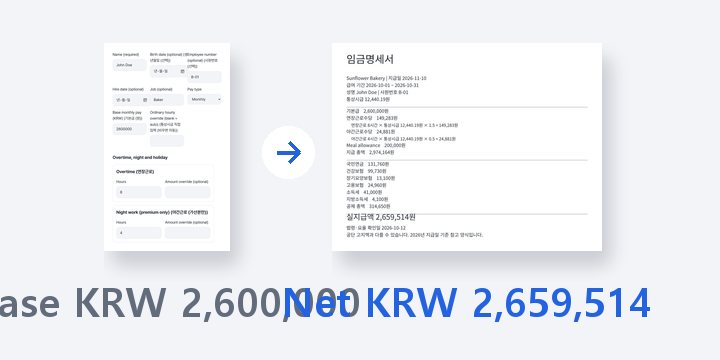
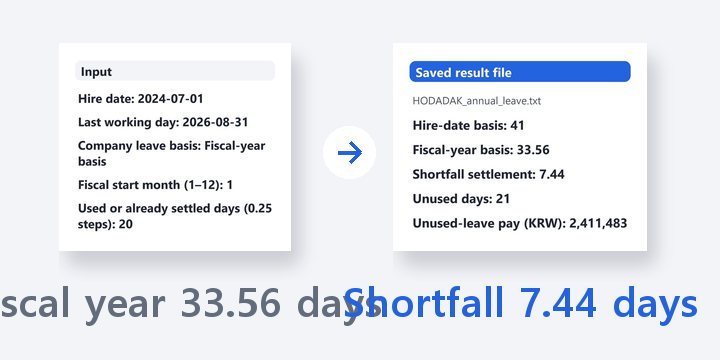
BEFORE → AFTER
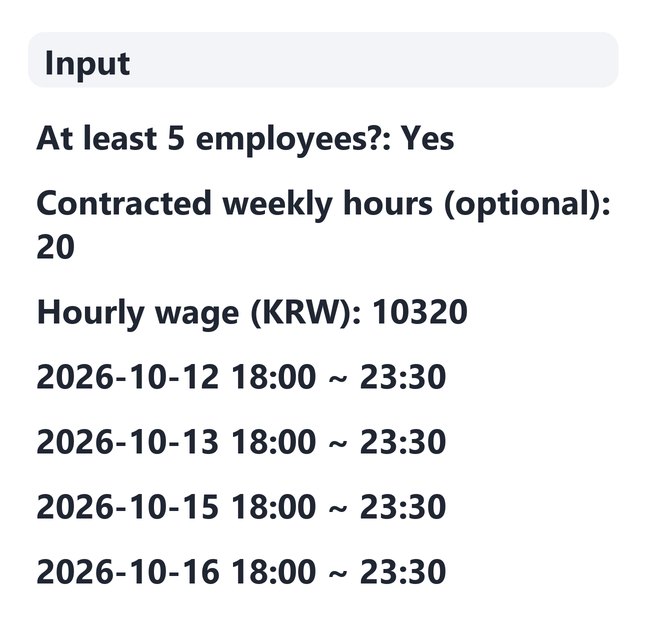
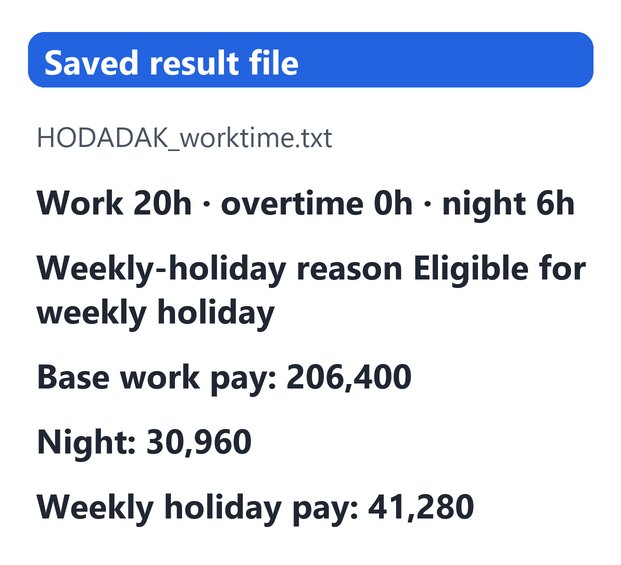
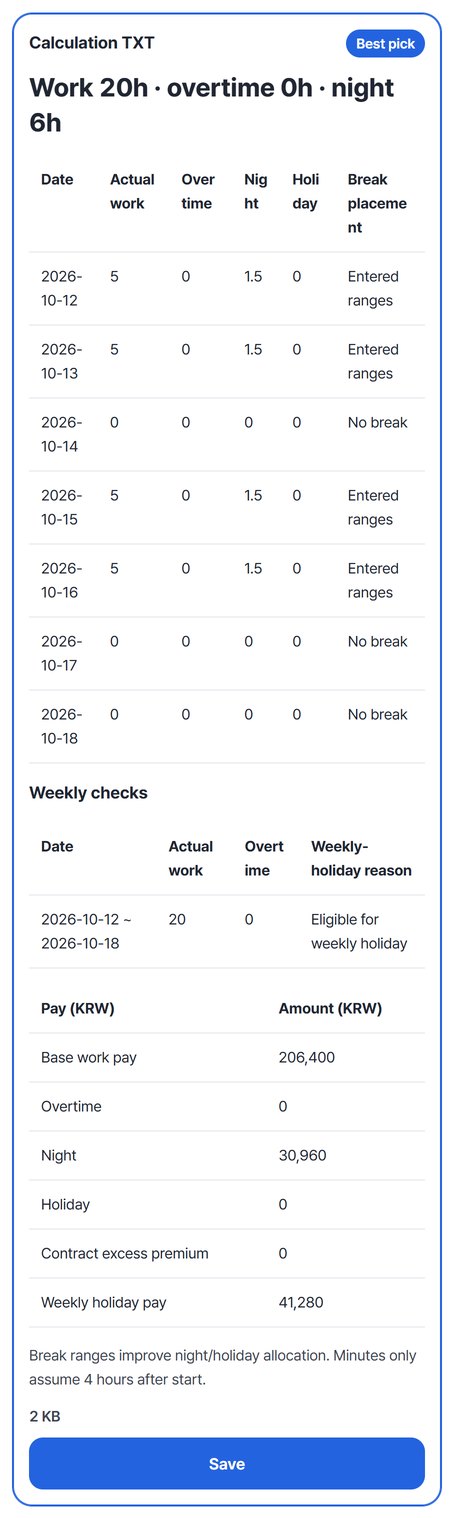
Four evening shifts: 20 hours worked · 6 night hours · weekly holiday pay
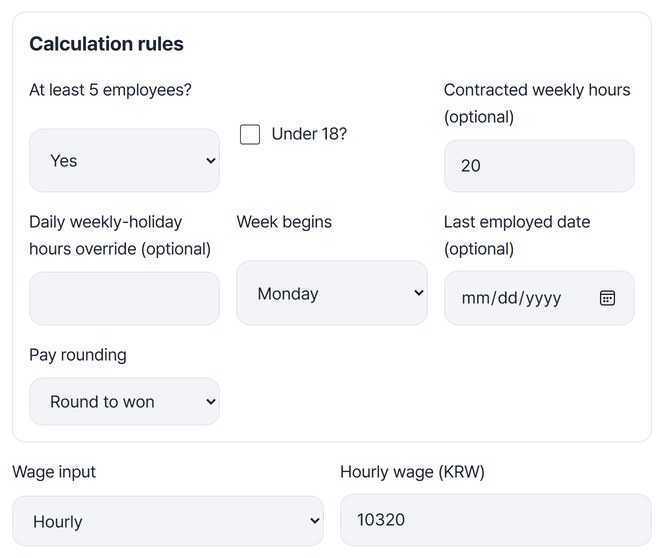
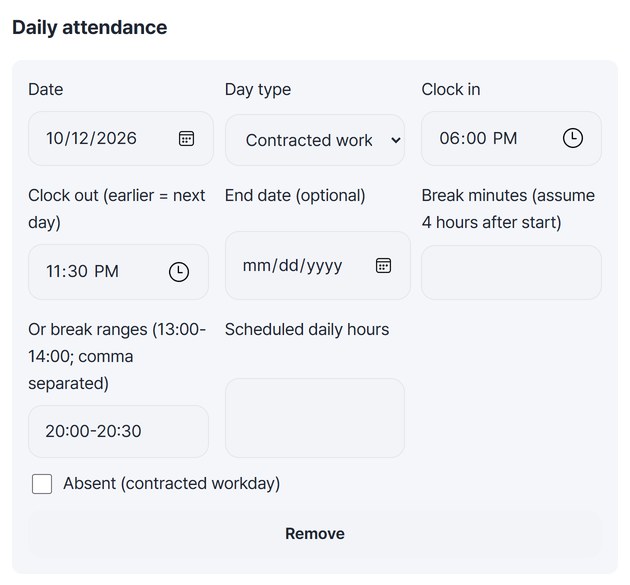
For the week starting Monday 2026-10-12, the shifts were 18:00–23:30 on Monday, Tuesday, Thursday and Friday, with a break from 20:00 to 20:30. Wednesday and Saturday were set as off days and Sunday as the weekly holiday, with 20 contracted weekly hours and an hourly wage of KRW 10,320. Each day has 5 hours of work, 1.5 of them after 22:00, so the week totals 20 hours worked and 6 night hours. With at least 15 hours a week and every contracted workday attended, the week is eligible for 4 hours of weekly holiday pay. Pay: base work KRW 206,400, night premium KRW 30,960, weekly holiday pay KRW 41,280.
Actual result of entering an example week chosen by HODADAK (not a real person’s record) into Worktime calculator v0.1.1, then reopening the saved TXT and CSV to check them against a hand calculation. A reference figure, not a legal conclusion.
HOW TO
Three steps
Enter the conditions and wage
Answer whether there are at least 5 employees and whether the worker is under 18, and enter the contracted weekly hours. Choose “Hourly” under “Wage input” to get the hourly wage field. You can also see hours only, without pay.
Enter each day’s times and break
Fill in the date, day type, start and end, and type the break in “Or break ranges” like 20:00-20:30. “Add row” adds the next date. For days off, change the day type to “Off day” or “Weekly holiday” and leave the times empty. If you have a spreadsheet, use “Paste spreadsheet” to bring it in at once.
Check the result and save
Press “Calculate worktime” to see the daily table, the weekly check and the pay items. Save the calculation TXT and table CSV, and use “Continue: Payslip maker” to pass the hours and wage on.
WHEN
Perfect for
- Checking this week’s night and weekly holiday pay
Split the hours from clock times and compare the amounts.
- Wondering why there was no weekly holiday pay
Each week shows the reason, such as under 15 hours or an absence.
- Making a payslip
Pass the hours and wage on without typing them again.
GOOD TO KNOW
Good to know
- Reference calculation only. It follows Articles 50, 53–56 and 69 of the Labor Standards Act, Article 6 of the Fixed-term and Part-time Workers Act, and official interpretations (checked 2026-10-12). Rules before 2021-07-01, flexible-hours systems and probation pay cuts aren’t calculated, and no legal conclusion is given.
- One person, 1-minute steps, up to 366 days. Minimum-wage checks cover 2026 and 2027 only.
- Break times are more accurate than minutes. With minutes only, the break is assumed to start 4 hours after clock-in. Entering the break time, as in the example, places night hours where the break really was.
- Weekly holiday pay needs all 7 days of the week. Add rows for days off too, as off days or the weekly holiday. If a day is missing, the week shows “Full week records needed.”
- With fewer than 5 employees, overtime, night and holiday premiums are KRW 0, while weekly holiday pay and break checks still apply.
FAQ
Frequently asked questions
Where does my attendance data go?
Nowhere. The calculation runs inside this device’s browser. Only calculation rules such as the employee count and weekly hours are remembered on this device; daily records are not kept.
How do I enter a shift past midnight?
If the end time is earlier than the start, it is counted as ending the next day. The 8-hour daily limit is counted on the day the shift started, and holiday hours are split by calendar date, 0–24h.
Which devices has it been checked on?
We confirmed it in Edge and WebKit (the engine behind Safari) on Windows. Phones were tested by simulating a phone screen on a PC; checks on real Mac, iPhone and Android devices are still to come.
NEXT