EXTRACT AUDIO FROM VIDEO
Extract audio from video MP4/WebM
Just the sound from a video, copied without re-encoding.
Pull the sound out of an MP4 or WebM video and save it as an audio file. The original audio is copied as is, so AAC comes out as M4A and Opus as WebM.

In short Extract audio is a web tool that copies the sound out of an MP4 or WebM video without re-encoding, saving AAC as M4A and Opus as WebM. One MP4 or WebM video with sound, up to 100MB, 2 minutes, 1080p-equivalent and 60fps. It doesn’t save MP3, and iPhone’s default MOV (HEVC) videos aren’t supported.
BEFORE → AFTER
Sound only, from a 4.51 s stream video to a 107 KB M4A
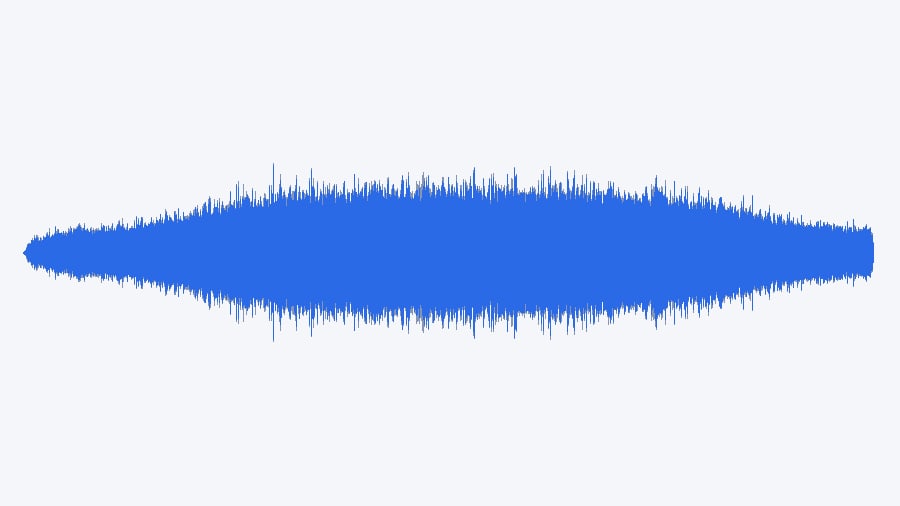
We added a 4.51-second video of a forest stream (1280×720, 6,792 KB) and pressed “Extract audio”. The saved forest-stream_audio.m4a was 109,404 bytes and 4.51 seconds long, the same as the video. Comparing the audio data of the video and the saved file showed identical fingerprints, so nothing was re-encoded.
A real CC0 video from Wikimedia Commons (filmed by Alexander Roumega), processed with Extract audio v0.1.12. The waveform on the right was drawn from the saved M4A, scaled in the picture only so it is easy to see.
HOW TO
Done in three steps
Choose a video
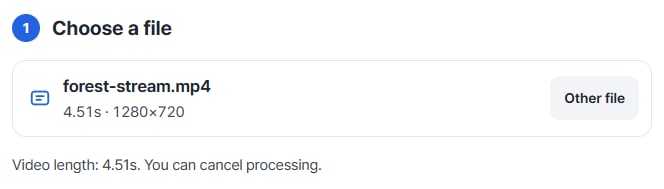
Pick one MP4 or WebM video and its length and frame size appear right away.
Preview and check the sound
Play the video under “Preview and settings”. If it has no sound, you get a notice and nothing is made.
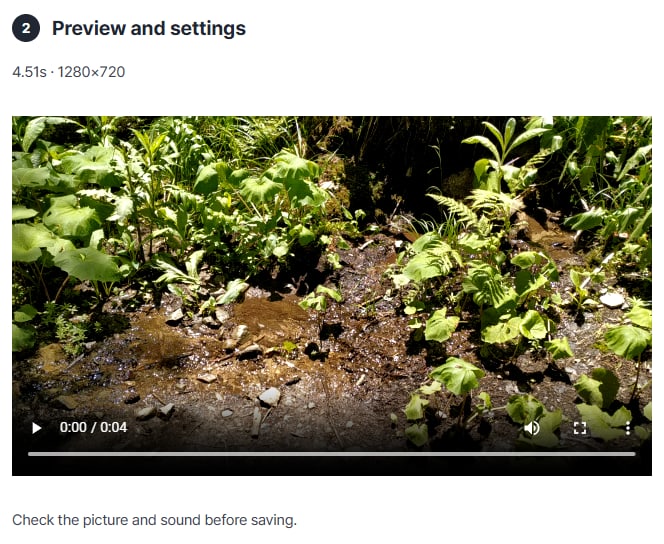
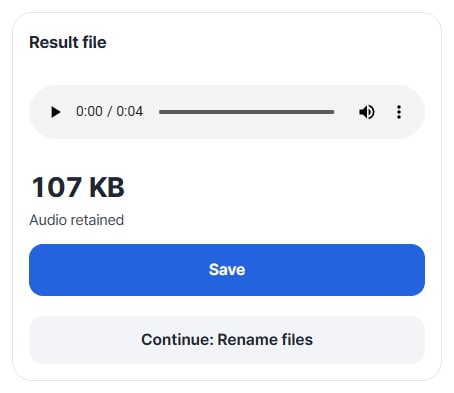
Listen and save
Press “Extract audio” to get the result file. Play it, then press “Save”. You can also continue with “Continue: Rename files”.
WHEN
Perfect for
- Listening to a lecture or meeting recording
Move it to a light audio file instead of video.
- Using the on-site sound of your footage
Bring just the sound into an editing app.
- Keeping the original audio quality
No re-encoding, so the quality does not change.
GOOD TO KNOW
Good to know
- Videos you can add: one MP4 (H.264/AAC) or WebM (VP8 · VP9/Opus), up to 100MB, 2 minutes, 1080p-equivalent and 60fps. The file must have one video track and at most one audio track.
- The format follows the original sound. AAC audio is saved as M4A and Opus audio as WebM. It does not save MP3.
- Encrypted or protected videos and videos with several audio or subtitle tracks are not supported.
FAQ
Frequently asked questions
Where do my files get uploaded?
Nowhere. Everything is processed in this device's browser, so there is nothing on a server to delete. Results you haven't saved are cleared when you close the window.
It says the video has no sound.
If the video has no audio track, nothing is made. Choose a video that contains sound.
Can I get an MP3?
No. The original audio is copied without re-encoding, so AAC is saved as M4A and Opus as WebM.
Which devices has it been checked on?
We confirmed it in Edge on Windows. Phones were tested by simulating a phone screen on a PC; Safari-based browsers and real Mac, iPhone and Android devices are still to come.
NEXT