QUOTE MAKER
Quote maker create a quotation as PDF or Excel
Enter the line items, get a quote as PDF and Excel.
Enter your client and line items to total the supply amount, VAT and grand total. The total is also written out in Korean as “일금 ○○원정.” Save the PDF to send, an Excel file with live formulas and an input file for your next quote, all at once.
In short Quote maker is a web tool that totals your line items with VAT, writes the amount out in Korean, and saves the quotation as PDF and Excel plus an editable data file (JSON). Up to 200 line items (about 9 PDF pages); a stamp or logo can be a PNG or JPG up to 5MB. The first PDF downloads a CJK font (about 22MB). A quotation isn’t a tax invoice.
BEFORE → AFTER
Three line items become a KRW 2,695,000 quote
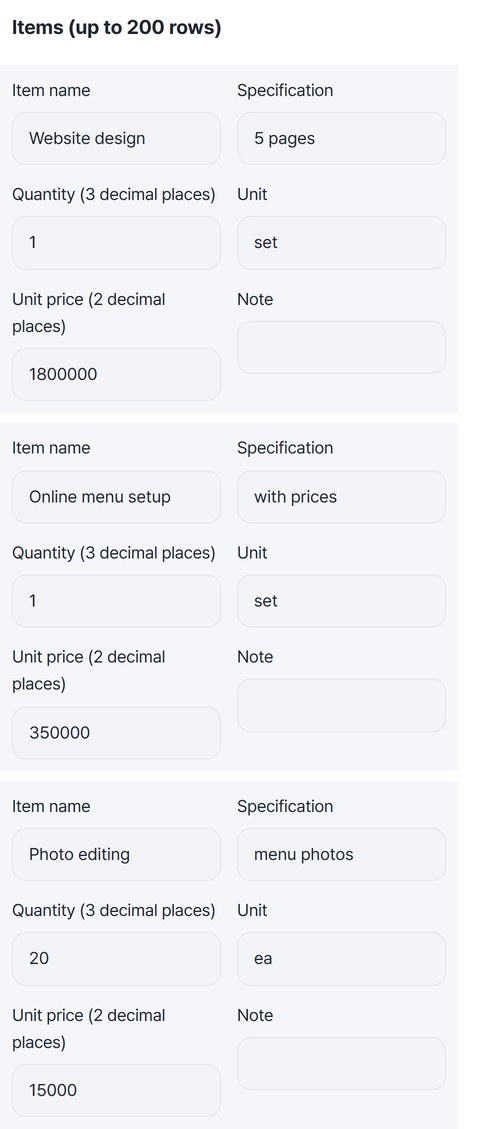
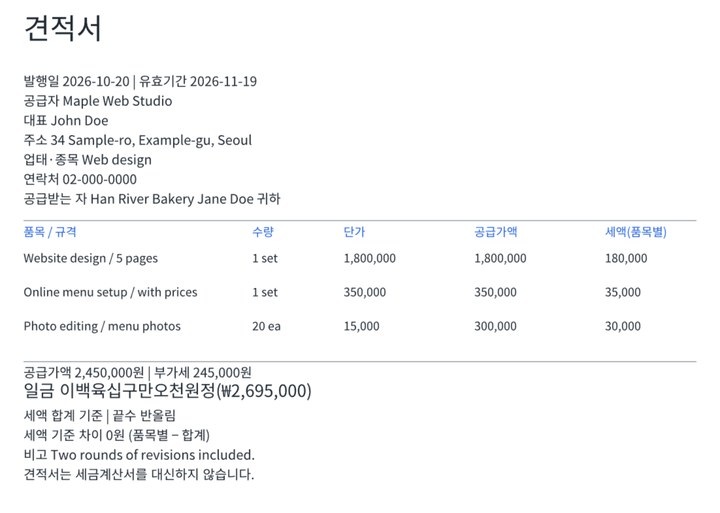
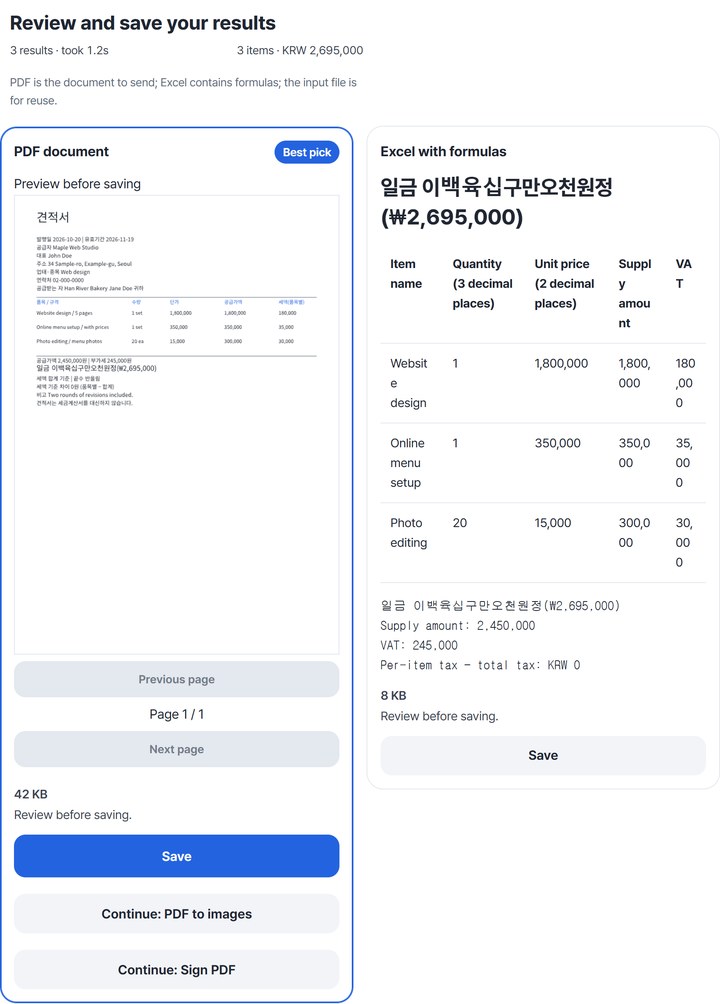
A made-up studio, Maple Web Studio, quotes a website for Han River Bakery: website design KRW 1,800,000, online menu setup KRW 350,000, and 20 edited photos at KRW 15,000, with VAT exclusive, total basis and round half up. The saved HODADAK_quote.pdf (42,465 bytes) holds the supply amount KRW 2,450,000, VAT KRW 245,000 and “일금 이백육십구만오천원정(₩2,695,000).” The Excel file (7,656 bytes) computes the same total with formulas.
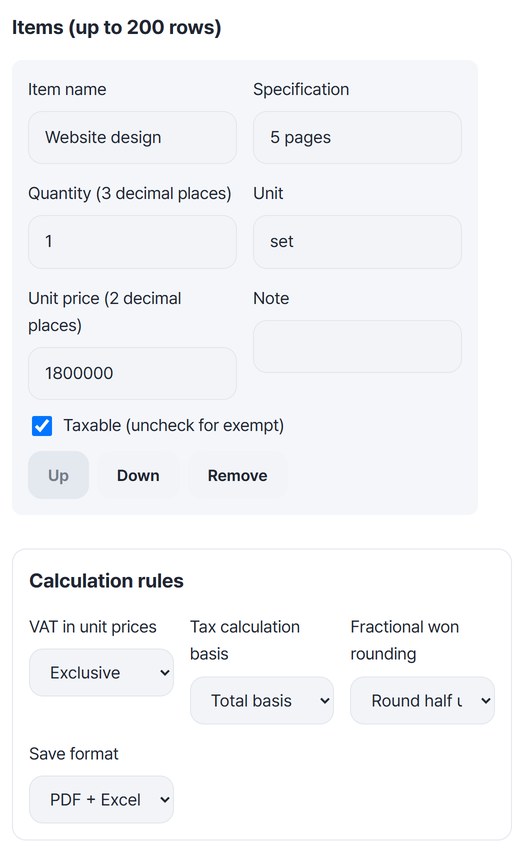
Actual result of making a quote with made-up names in Quote maker v0.1.2. The left image is the line-item form we filled in; the right is the first page of the saved PDF, drawn again with the empty bottom cropped off.
HOW TO
Three steps
Enter both parties and the dates
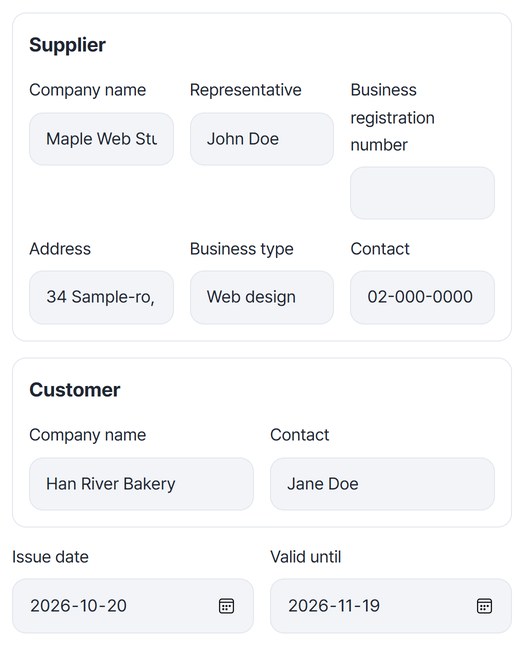
Fill in your company, representative, address and contact under “Supplier,” and your client under “Customer.” Pick the issue date and “Valid until” from the calendar. A business registration number in the wrong format shows a warning, but it isn’t checked against the tax registry.
Add items and choose the calculation rules
Enter the item name, specification, quantity, unit and unit price, and press “Add row” for more items. Under “Calculation rules,” choose VAT in unit prices (Exclusive or Inclusive), the tax calculation basis (Total basis or Per item) and fractional won rounding. For a tax-exempt item, uncheck “Taxable (uncheck for exempt).”
Review and save the three files
Press “Create quote” to get three cards: PDF document, Excel with formulas and Input file for reuse. Check the Korean amount and item table on the Excel card, then press “Save” on each card or “Save all (ZIP)” to get them in one go.
WHEN
Perfect for
- A client asks you for a quote
Enter the items and send a PDF with the totals and Korean amount already worked out.
- Your prices already include VAT
Switch “VAT in unit prices” to Inclusive and the supply amount and VAT are split out of each price.
- Quoting the same client again
Open your saved input file with “Open input file” and change only the amounts.
GOOD TO KNOW
Good to know
- A quotation is not a tax invoice. It is a price offer before the deal, and the PDF says so on its last line.
- It’s a Korean form. Titles, field names and the written-out amount in the PDF and Excel are in Korean. VAT is 10% and amounts are in won.
- Total basis and per-item tax can differ by a few won. The result shows the per-item minus total difference; in the example above it was 0.
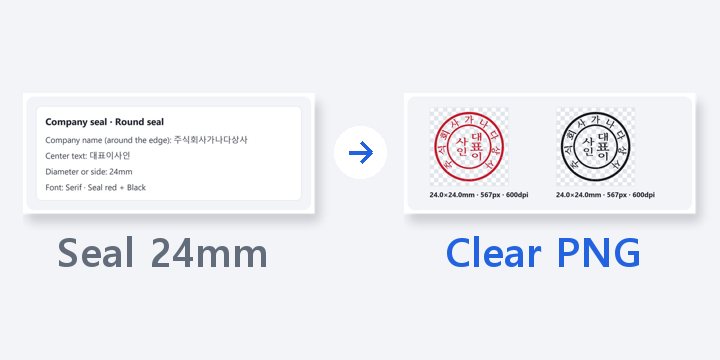
- A stamp or logo can be a PNG or JPG up to 5MB and 20 megapixels. A stamp image is not a registered seal.
- Up to 200 line items. The first PDF downloads a CJK font (about 22MB) once.
FAQ
Frequently asked questions
Where do my client details and amounts go?
Nowhere. Calculating and creating the PDF and Excel both happen in this device’s browser. Your input stays in this browser only if you turn on “Remember input on this device.”
How is the Excel file different from the PDF?
Line amounts, tax and totals are stored as formulas, not plain numbers. Reopening the example file showed 13 formulas, and the Korean amount cell is a NUMBERSTRING formula too, so the other side can reuse it as a table.
Which devices has it been checked on?
We confirmed it in Edge and WebKit (the engine behind Safari) on Windows. Phones were tested by simulating a phone screen on a PC; checks on real Mac, iPhone and Android devices are still to come.
NEXT