
SIGN PDF
Printing just to sign one line?
Draw it on screen.
Draw your signature with a mouse or finger, or pick an image of it, and place it only on the pages that need it. The original text stays, and you save a new PDF.
- No install
- No sign-up
- Files stay on this device


BEFORE → AFTER
A 3-page contract, signed on the last page only
We picked only page 3 and moved the sample signature onto the “Signature” box. Pages 1 and 2 are unchanged, and the original text on page 3 is still there.
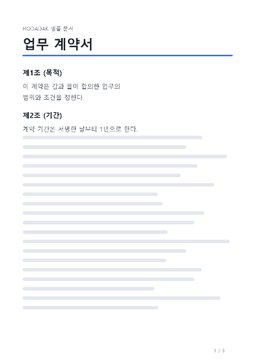
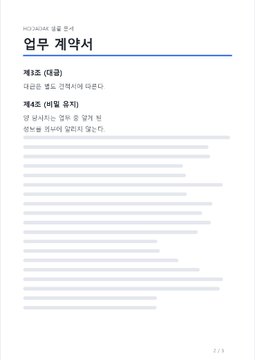
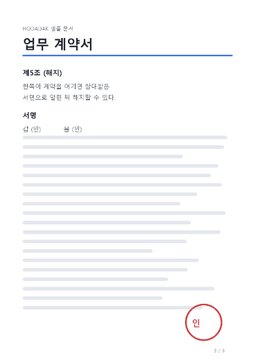
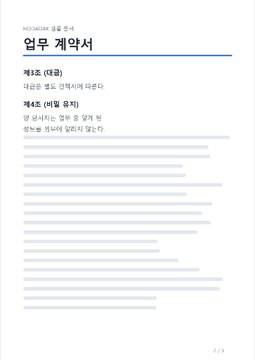
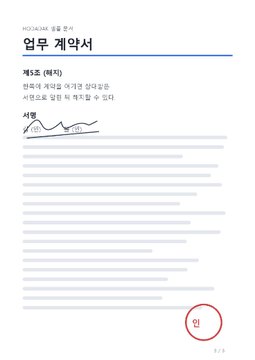
The actual result of processing a HODADAK sample file (an example contract) with PDF handwritten signature v0.1.0. The signature is the tool’s sample signature, too.
HOW TO
Signed in three steps
Pick the pages to sign
Add your PDF and tap the thumbnails of the pages to sign. Pick several and the signature goes in the same relative spot on each.
Draw your signature
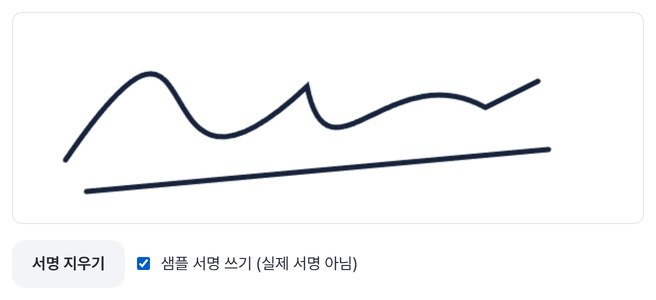
Draw in the box with a mouse or finger, or choose a signature image (PNG, JPG or WebP, up to 5MB).
Place it and create
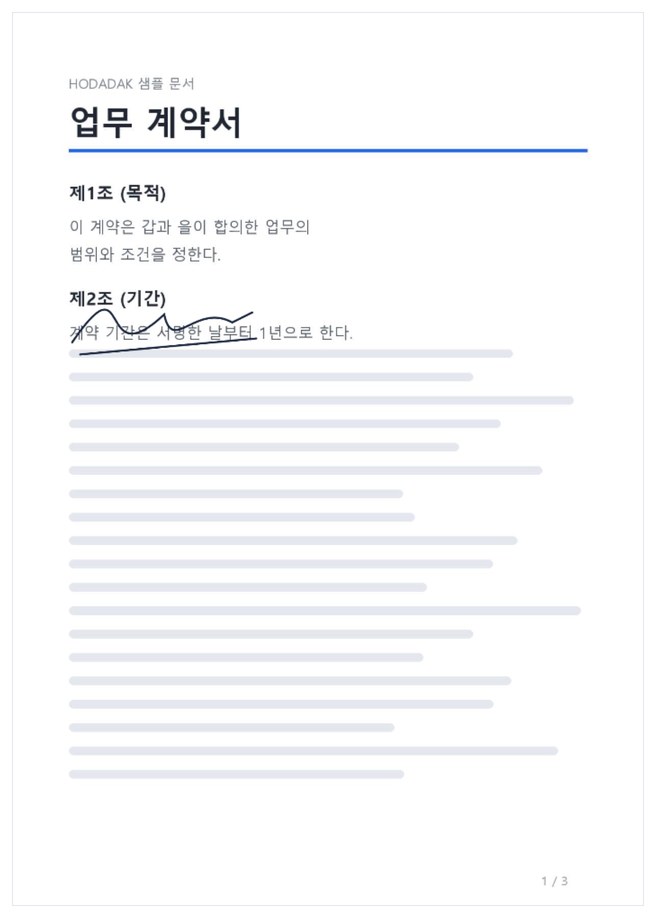
Tap or drag on the large page to set the spot, and set the width to 5–80% of the page. After “Create signed PDF,” preview and save.
WHEN
Perfect for
- Signing and returning a contract you got by email
No printer or scanner — just the signature box.
- The same signature on several pages
Pick several pages and it lands in the same spot on each.
- Sending back consent or confirmation forms
Sign where needed and reply with the PDF.
GOOD TO KNOW
Good to know
- It adds a signature image. It isn’t a certificate-based digital signature, and it doesn’t verify identity or guarantee legal effect. Check first whether the recipient accepts an image signature.
- Your signature is not stored; it’s cleared when you choose a new PDF.
- One PDF, up to 50MB and 200 pages. Encrypted, signed or form PDFs aren’t supported, and bookmarks and attachments aren’t copied.
- The PDF engine is downloaded once, about 4MB, the first time. It's fetched only after you pick a file, and other PDF tools reuse it.
- Press Try a sample to try it without your own file. The Continue button on a result card carries on in another tool without adding the file again.
FAQ
Frequently asked questions
Where do my files get uploaded?
Nowhere. Everything is processed inside this device's browser, and closing the window clears both the files and the results.
Is this a digital signature?
No. It places an image of your signature on the page — not a certificate-based digital signature. It doesn’t verify identity or guarantee legal effect, so check that the recipient accepts an image signature.
Which devices has it been checked on?
We confirmed it in Edge and WebKit (the engine behind Safari) on Windows. Phones were tested by simulating a phone screen on a PC; checks on real Mac, iPhone and Android devices are still to come.
NEXT
Handy next steps
Draw, place, save it signed.
No install, no sign-up. Right now.