
FILL PDF FORMS
Fill PDF forms free online no upload
No printing and handwriting — fill the PDF form fields directly.
Add a PDF form that has fields and you get a list of them. Fill in names, dates, dropdowns and checkboxes, preview the result, and save a PDF whose fields are still editable. Nothing is uploaded anywhere.
- No install
- No sign-up
- No upload
In short Fill PDF forms is a free web tool that fills text, checkbox and choice fields in a fillable PDF, shows the actual result before saving, and keeps the fields editable. It runs in your browser with no install or sign-up, and your files are processed in this device’s browser — never uploaded to a server. One fillable PDF up to 20MB, 100 pages and 100 fields. PDFs without fields, and password-protected, signed, calculated or XFA forms aren’t supported.
BEFORE → AFTER
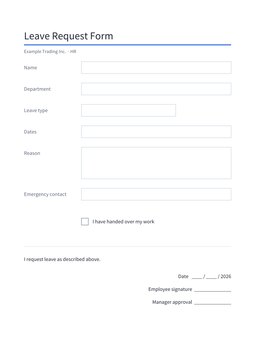
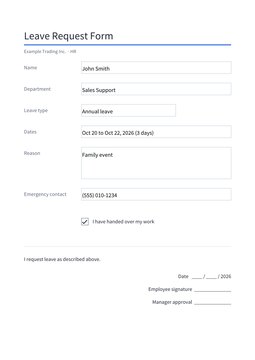
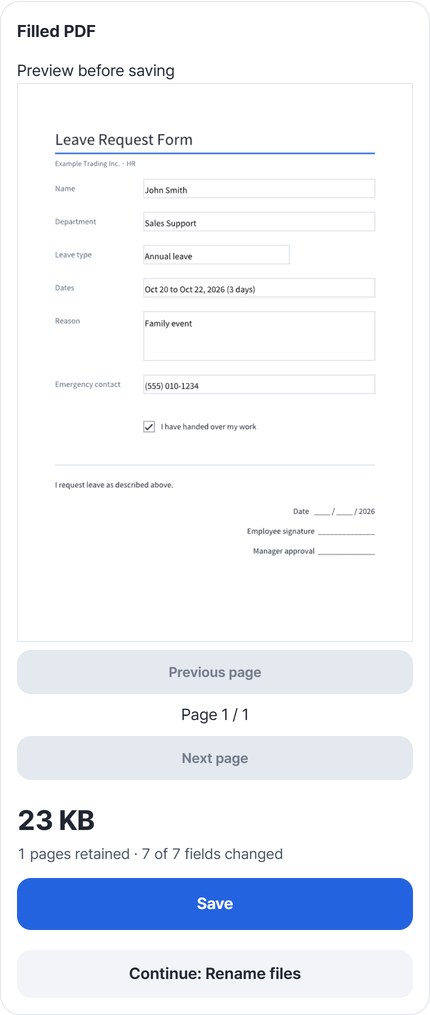
A blank leave request, 7 fields filled
We added a fillable leave request form (12,572 bytes) and filled in Name, Department, Leave type (a dropdown), Dates, Reason, Emergency contact and the handover checkbox. Result: “1 pages retained · 7 of 7 fields changed,” 22,553 bytes — larger because the font is embedded. Reopening the saved PDF, all 7 fields held exactly what we typed.
Actual result of filling a leave request for a fictional employee, “John Smith” (company and name are examples), with Fill PDF forms v0.1.8, then reopening the saved PDF to check the field values.
HOW TO
Three steps and done
Add the PDF form
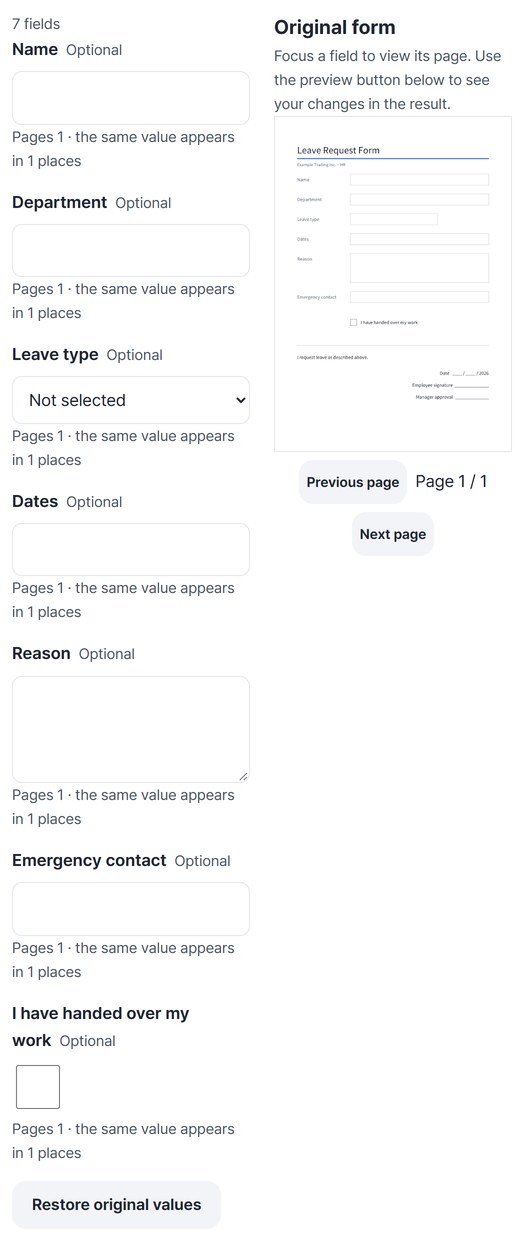
Pick a PDF that has fields, and the field list appears next to the original form. Click a field to see the page it is on.
Fill the fields
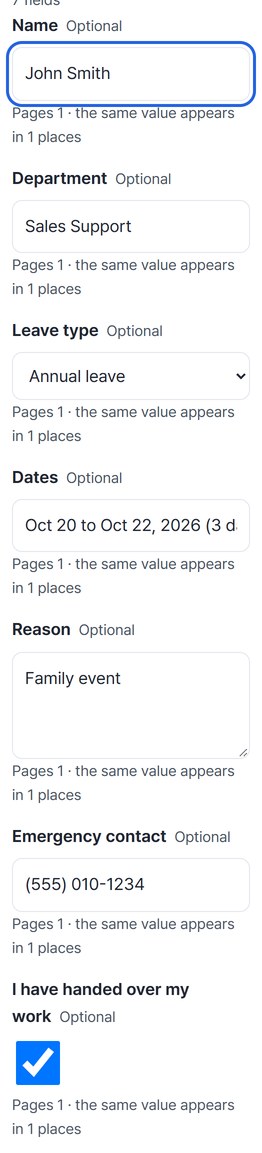
Type in text fields, choose from dropdowns and click checkboxes. If you change something by mistake, press “Restore original values.” Text size can be 10, 12 or 14.
“Preview filled PDF,” then save
The first time, about 23MB of font data is prepared before the result is drawn. Check every page in the preview and press “Save.” You can carry on with “Rename files.”
WHEN
Perfect for
- You get an application form
No print, handwrite and scan.
- The form holds personal data
Filled on this device, never uploaded.
- You may edit it again later
The saved PDF keeps its fields.
GOOD TO KNOW
Good to know
- One fillable PDF · 20MB · up to 100 pages and 100 fields.
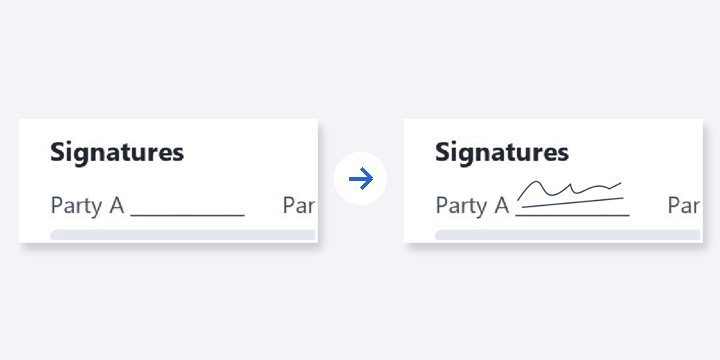
- It does not create new fields on flat PDFs. Encrypted or already signed PDFs and forms with calculations, scripts or XFA are not supported. Empty signature fields are kept.
- Text shrinks to fit a field, down to size 8; if it still overflows, saving stops and tells you. Break long multi-line text into lines yourself.
- Fields stay editable in the saved PDF. Other PDF editors may use a different font for newly typed characters.
- The PDF engine is downloaded once, about 4MB, the first time. It's fetched only after you pick a file, and other PDF tools reuse it.
FAQ
Frequently asked questions
Where do my files get uploaded?
Nowhere. Everything is processed in this device's browser, so there is nothing on a server to delete. Results you haven't saved are cleared when you close the window.
Is anything I type kept?
No. Your entries and the file are used only in this window; the only thing remembered is the text size.
Which devices was it checked on?
We filled the form in Edge on Windows and reopened the saved PDF to check the values. Real Mac, iPhone and Android devices haven’t been checked yet.
NEXT
Handy next steps
Fill, check, save.
No install, no sign-up. Right now.