
SEVERANCE PAY
Estimate Korean severance pay,
with the working shown.
From your start date, last working day and the last three months of wages, it estimates gross severance under Korea’s general formula. The period, day counts and whether the average or ordinary wage was used are kept as evidence. For reference only.
- No install
- No sign-up
- Files stay on this device
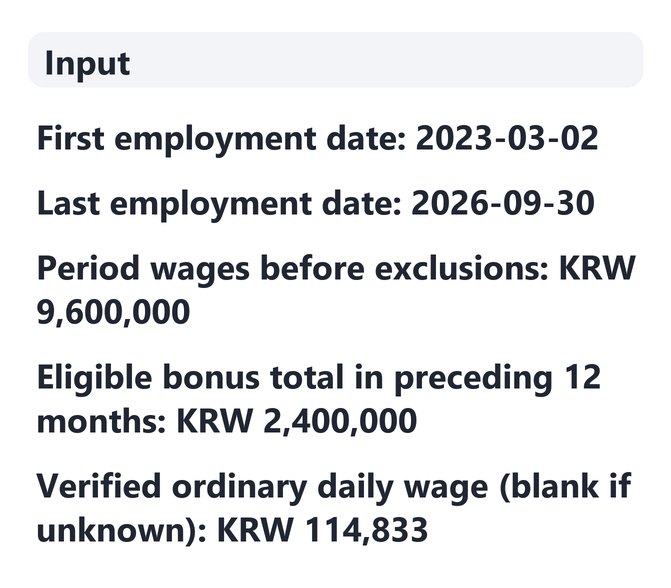
In short Severance calculator is a free web tool that estimates Korean severance pay before tax using the general formula (average daily wage × 30 × days of service ÷ 365) and shows the calculation basis. It runs in your browser with no install or sign-up, and what you type stays on your device — nothing is sent to a server. A pre-tax reference estimate using Korea’s general formula; it doesn’t assess taxes or legal entitlement. Amounts are whole won from 0 to 10 billion; the last working day must fall between 1900 and 2100.
BEFORE → AFTER
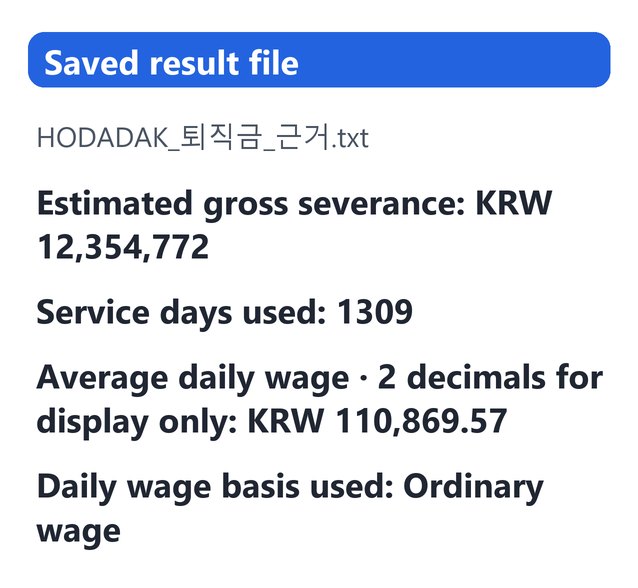
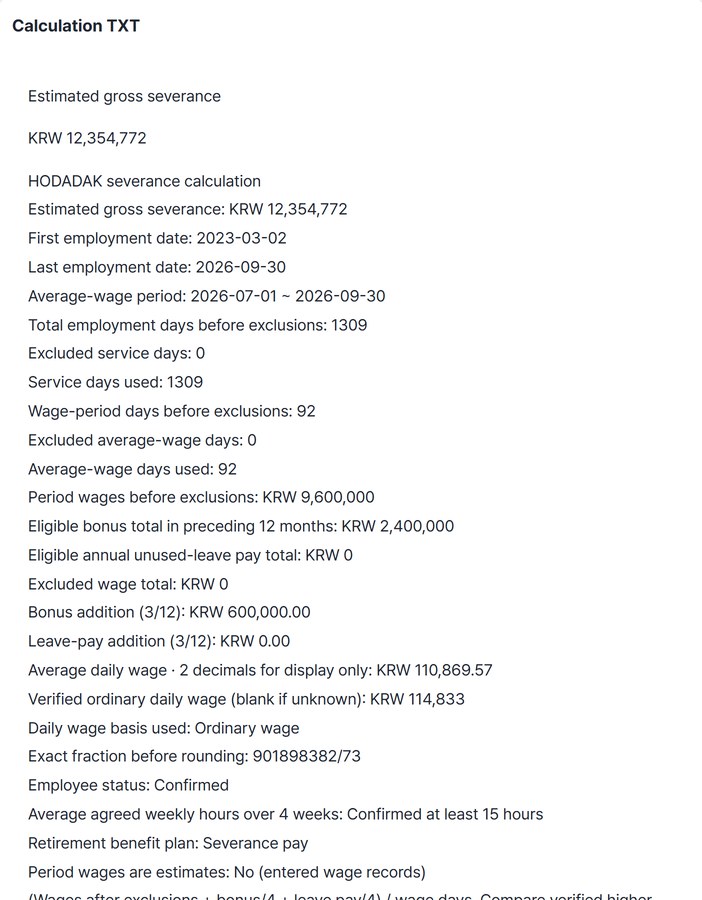
3 years 7 months of service: estimated gross severance KRW 12,354,772
Start 2023-03-02, last working day 2026-09-30, KRW 3,000,000 base pay and KRW 200,000 allowances in each of the last three months, KRW 2,400,000 in bonuses over the past 12 months, and a verified ordinary daily wage of KRW 114,833. The ordinary wage was higher than the average daily wage of KRW 110,869.57, so it was used, with 1309 service days.
Actual result of entering an example service period and wages chosen by HODADAK (not a real person’s data) into Severance calculator v0.1.1, then reopening the saved TXT to check it. This is a gross reference figure, not a legal payment amount.
HOW TO
Three steps
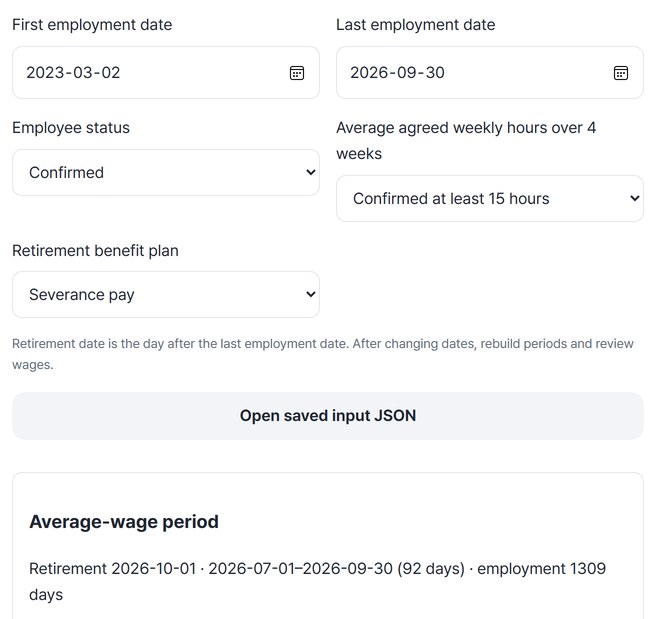
Enter the period and conditions
Enter the start date and last working day, then confirm employee status, an average of 15+ hours a week over 4 weeks, and the retirement benefit plan. Retirement is the day after the last working day.
Enter wages for each period
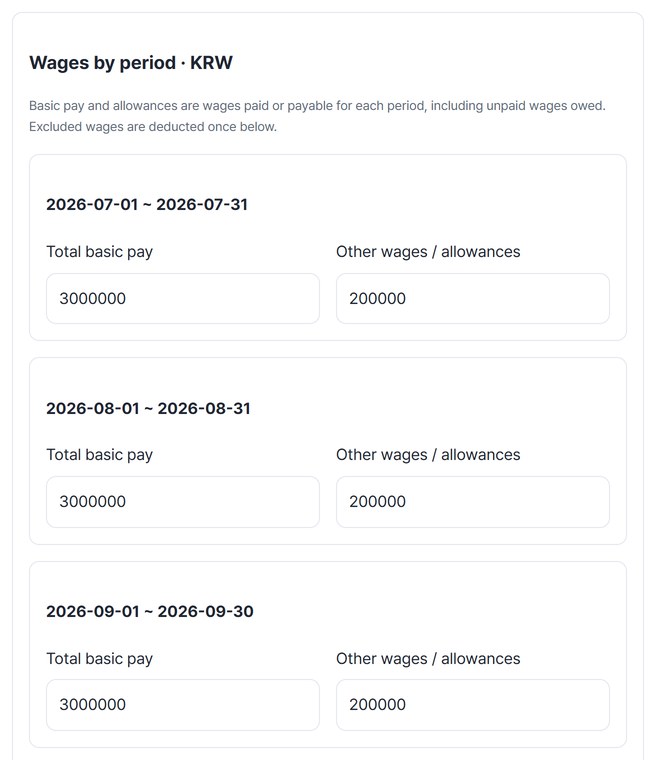
Press “Build wage periods from dates” to split the period by month. Enter base pay and allowances from your payslips, plus annual bonus and leave-pay totals and a verified ordinary daily wage.
Check the working and save
Press “Calculate severance” to see the gross estimate and its working. Save the calculation TXT, the inputs and calculation CSV, and the reopenable input JSON.
WHEN
Perfect for
- Before leaving a job in Korea
Get a rough gross figure from your own payslips.
- Checking an employer’s figure
Compare the period, day counts and wage basis.
- Coming back to it later
Open the input JSON to restore the same inputs.
GOOD TO KNOW
Good to know
- Gross reference estimate only. It does not decide legal entitlement, employee status, wage classification, tax or DC balances. Defined-contribution (DC) plans are not supported.
- Cases outside the general formula are not calculated. Interim settlements, historical small-business rules, bonus schemes changed mid-year or unclear wages lead to a note that official advice and extra records are needed. With less than one year of service, no amount is confirmed.
- Formula: (wages after exclusions + bonus ÷ 4 + leave pay ÷ 4) ÷ days gives the average daily wage, compared with a higher verified ordinary wage; daily basis × 30 × service days ÷ 365. Only the final won amount is rounded.
- As of 2026-10-06: based on official guidance checked on that date. If the rules change, recheck the Ministry of Employment and Labor (MOEL) calculator and guidance.
- The input JSON contains all your wage data. Check it before sharing. Inputs are not saved automatically.
FAQ
Frequently asked questions
Where do the wages I enter go?
Nowhere. The calculation happens inside this device’s browser, and inputs are not saved automatically.
Will I receive exactly this amount?
Not guaranteed. It is a gross reference figure from the wages and dates you entered. Actual payment can differ with wage classification, special rules and tax, so confirm with MOEL’s official guidance or a consultation.
Which devices has it been checked on?
We confirmed it in Edge on Windows. Phones were tested by simulating a phone screen on a PC; Safari-based browsers and real Mac, iPhone and Android devices are still to come.
NEXT
Handy next steps
 New
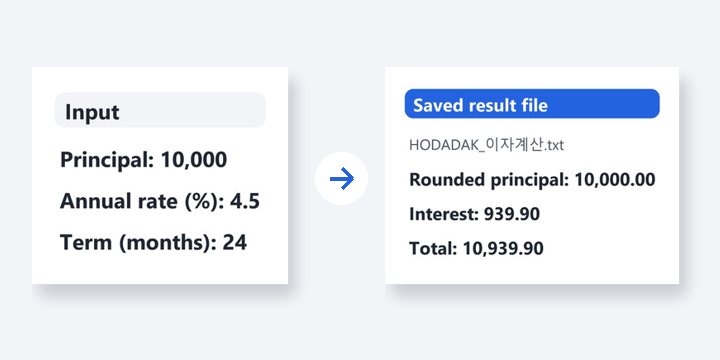
NewReview after-tax deposit and monthly-saving estimates, or precise simple and compound calculations.
Open
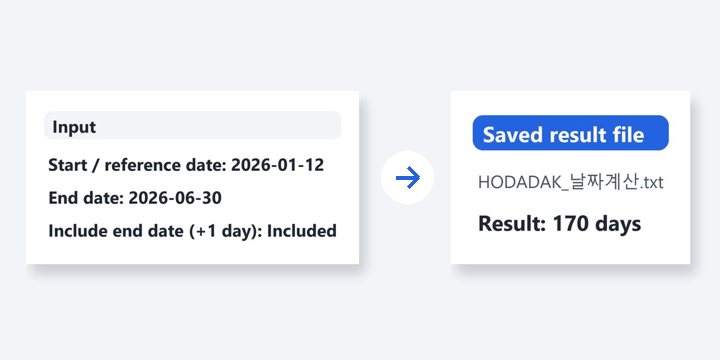
Dates, wages, and the working saved.
No install, no sign-up. Right now.