
INTEREST CALCULATOR
See how compounding adds up,
with every rule written down.
Run precise simple, annual-compound or monthly-compound interest with the decimal places you choose. For Korean deposits and monthly savings it also gives a whole-KRW after-tax estimate.
- No install
- No sign-up
- Files stay on this device
In short Interest calculator is a free web tool that estimates after-tax interest on deposits and monthly savings (Korea’s standard 15.4%, tax-free or a custom rate) and runs simple or compound interest with the conditions shown. It runs in your browser with no install or sign-up, and what you type stays on your device — nothing is sent to a server. Principal up to 20 digits (6 decimals), annual rate 0–1000%, term 0–1200 months; annual compounding needs whole years. Results are estimates that don’t reflect a real product’s daily accrual or itemized withholding.
BEFORE → AFTER
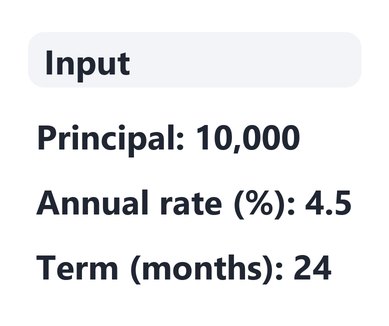
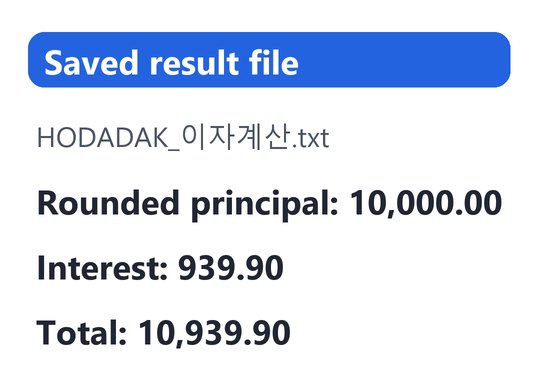
10,000 at 4.5% for 24 months, compounded monthly: 10,939.90
“Monthly compounding · decimal precision” with a principal of 10,000, 4.5% a year, 24 months and 2 decimal places. The interest is 939.90 and the total is 10,939.90, both in the saved TXT.
Actual result of entering example values chosen by HODADAK into Interest calculator v0.2.0, then reopening the saved TXT to check it.
HOW TO
Three steps and done
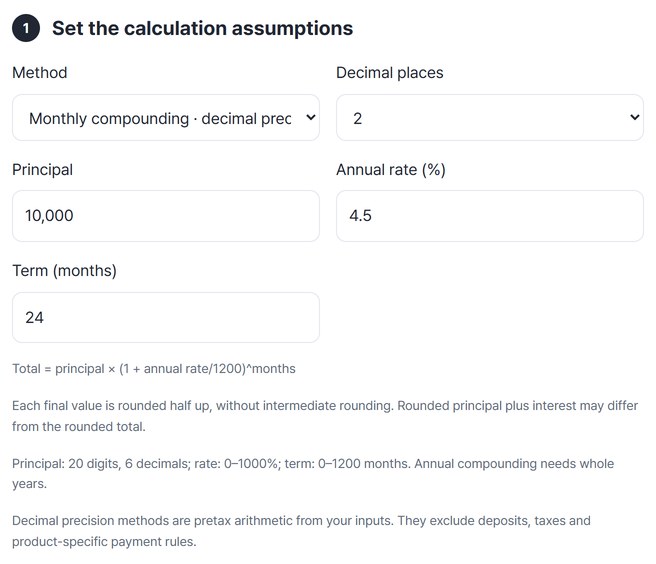
Pick a method and enter the amounts
Choose simple, annual or monthly compounding (decimal precision), or a Korean deposit / monthly-savings after-tax estimate. Enter the principal, annual rate and months.
Check the interest and total
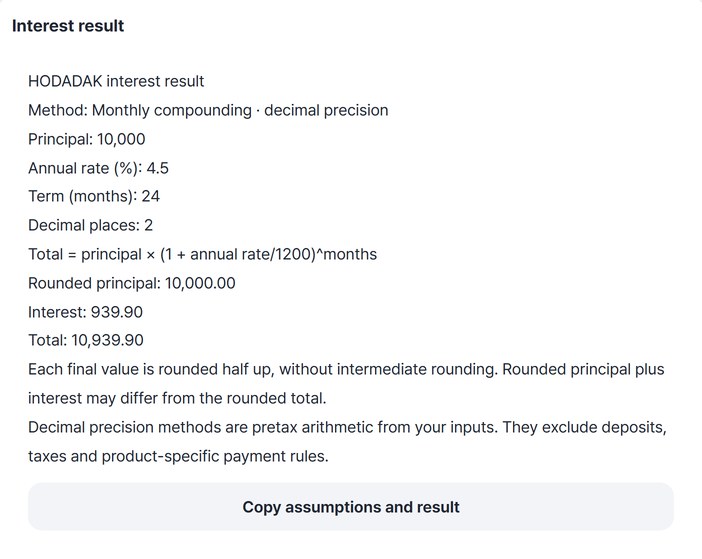
Press “Calculate” to see the principal, interest and total next to the formula.
Copy it or save it as TXT
Press “Copy assumptions and result” or “Save”.
WHEN
Perfect for
- Comparing simple and compound interest
Run the same inputs through each method.
- Checking a savings plan
See the total at the end of the term.
- Korean deposits and savings
Estimate after-tax interest with the 15.4% general tax or your own rate.
GOOD TO KNOW
Good to know
- Precision methods: pretax arithmetic from your inputs. Each final value is rounded half-up; principal plus interest can differ from the total in the last digit.
- After-tax estimate (Korea): for deposits and monthly savings in whole KRW. Pretax interest is rounded first, then after-tax interest; the tax is the difference. Choose 15.4% general tax, 0% tax-free or your own rate.
- Not the bank’s figure. Daily product calculations, withholding by tax type and tax-free eligibility are not determined, and the bank’s payment is not guaranteed to match.
- Limits: principal up to 20 digits and 6 decimals, rate 0–1000%, term 0–1200 months. Annual compounding needs whole years.
- The saved TXT holds the method, assumptions, formula and result. The Continue button on the result card passes it to the file renaming tool.
FAQ
Frequently asked questions
Where do the amounts I enter go?
Nowhere. The calculation happens inside this device’s browser.
Can I use it for savings outside Korea?
The decimal-precision methods work with any currency. The after-tax deposit and savings estimates are built on whole-KRW rounding and Korean tax settings, so treat them as Korea-specific.
Which devices has it been checked on?
We confirmed it in Edge on Windows. Phones were tested by simulating a phone screen on a PC; Safari-based browsers and real Mac, iPhone and Android devices are still to come.
NEXT
Handy next steps
Enter amounts, see every rule.
No install, no sign-up. Right now.