
DATE CALCULATOR
How many days is the contract,
counting both ends?
Count the days between two dates, or find the date N days before or after. The rules you used, like whether the end date counts, are saved with the result.
- No install
- No sign-up
- Files stay on this device
In short Date calculator is a free web tool that counts the days between two dates or finds the date N days before or after, showing rules such as whether the end date is included. It runs in your browser with no install or sign-up, and what you type stays on your device — nothing is sent to a server. Calendar dates from 1900-01-01 to 2100-12-31. Holidays, business days and times of day aren’t calculated.
BEFORE → AFTER
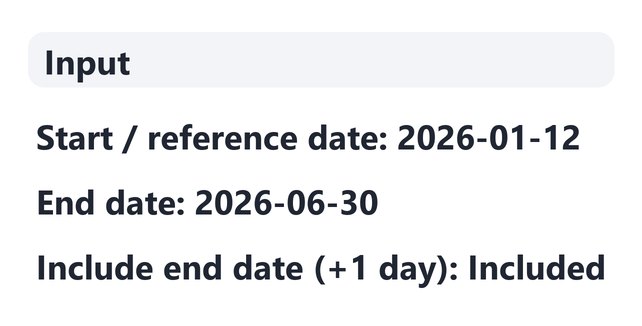
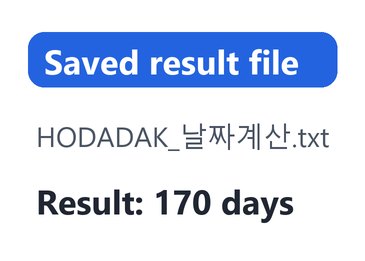
Jan 12 to Jun 30, end date included: 170 days
A project term of 2026-01-12 to 2026-06-30 entered as “Days between dates”, with “Include end date (+1 day)” turned on. The result is 170 days, and the saved TXT holds the same rules and result when reopened.
Actual result of entering example dates chosen by HODADAK into Date calculator v0.1.1, then reopening the saved TXT to check it.
HOW TO
Three steps and done
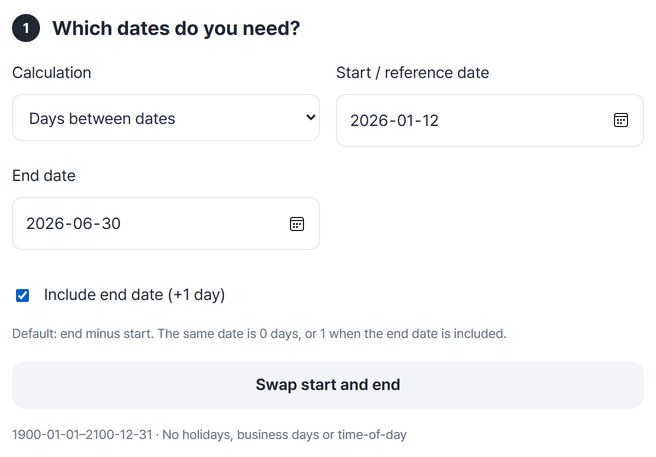
Pick a method and enter dates
Choose “Days between dates”, “Add days” or “Subtract days” and enter the dates. If both the first and last day count, turn on “Include end date (+1 day)”.
Check the rules and the result together
Press “Calculate dates” to see the method, dates, the include option, the day count and the weekday in one place.
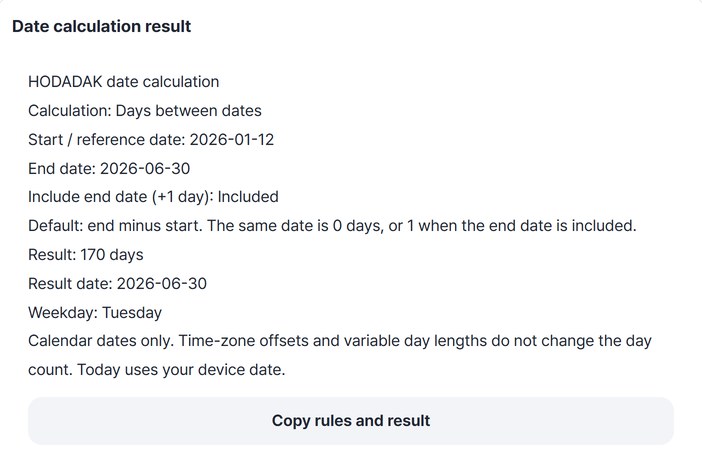
Copy it or save it as TXT
Press “Copy rules and result” or “Save”. You can also carry on with “Continue: Rename files”.
WHEN
Perfect for
- Contract, probation or coverage periods
Keep a note of whether both ends were counted.
- Days left until a deadline
See how many days remain from today.
- When is “90 days from now”?
Add or subtract days to get the date and weekday.
GOOD TO KNOW
Good to know
- Date range: 1900-01-01 to 2100-12-31. Holidays, business days and time of day are not calculated.
- Include end date: by default it is end date minus start date. The same day is 0 days; with the option on it is 1 day. The option does not apply to adding or subtracting.
- Calendar dates only. Time-zone offsets and day-length changes do not affect the count, and “today” comes from your device.
- The saved TXT holds the method, dates, include option, result and weekday. The Continue button on the result card passes it to the file renaming tool.
FAQ
Frequently asked questions
Where do the dates I enter go?
Nowhere. The calculation happens inside this device’s browser.
Another site gives me one day more or less.
It may count the end date differently. This tool uses end date minus start date by default and adds one day when “Include end date (+1 day)” is on. The result states which rule was used.
Which devices has it been checked on?
We confirmed it in Edge on Windows. Phones were tested by simulating a phone screen on a PC; Safari-based browsers and real Mac, iPhone and Android devices are still to come.
NEXT
Handy next steps
Enter dates, check the rules, save.
No install, no sign-up. Right now.