
PHOTO SIZE LIMIT
“File too large”?
Not anymore.
Pick the size limit you were given, and several photos shrink to fit in one go. Your photos never leave this device.
- No install
- No sign-up
- Files stay on this device
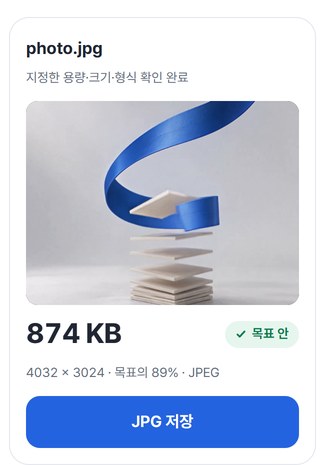
 874 KB
BEFORE → AFTER
A phone-sized photo, actually shrunk
Target: 1MB. The file dropped below a quarter of its size, and the pixel dimensions stayed the same.
 BeforeAfter
Zoomed in on the middle
Actual result of processing a HODADAK sample photo (phone-photo size) with Photo size limit v0.2.3, the version now live. Sizes are as shown on Windows, and how much a photo shrinks varies.
HOW TO
Three clicks and done
Add your photos
Up to 12 at once. Drag them in or pick them. Your originals stay untouched.
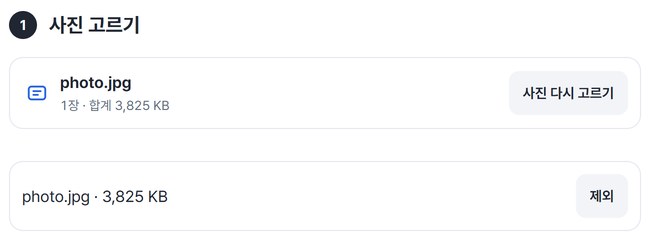
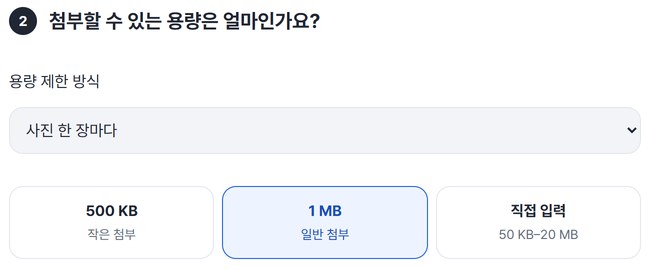
Pick the size limit
500KB and 1MB are one tap; for anything else, choose Custom (50KB–20MB). Apply it to “Each photo” or the “Whole batch.”
Check and save
Preview the shrunk photos, then save. Several photos come as one ZIP.
WHEN
Perfect for
- An application form that says “1MB max”
Pick 1MB and the photo fits.
- Email attachments that keep bouncing
Choose “Whole batch” to fit the total.
- Several photos for a shop or forum post
Up to 12 at once, saved as one ZIP.
GOOD TO KNOW
Good to know
- Photos you can add: JPG · PNG, up to 12, 20MB each, 80MB in total.
- iPhone photos (HEIC) can’t be added yet. Convert them to JPG first.
- Save as: JPG · PNG · WebP. In JPG, transparent areas turn white.
- Shrunk photos don’t keep shooting or location info. Colors may shift slightly.
- Photos already within the limit are saved untouched, as the original.
FAQ
Frequently asked questions
Where do my photos get uploaded?
Nowhere. They’re shrunk inside this device’s browser, and closing the window clears both the photos and the results.
Will the quality drop a lot?
It compresses to hit the target, so it isn’t identical to the original. As in the zoom comparison above, you can preview the result before saving.
It says it can’t reach the target.
Turn on “Allow smaller dimensions if needed,” or raise the target a little.
Does it work on phones?
We build for the latest browsers on Windows, Mac, iPhone and Android. So far we’ve confirmed it in Edge on Windows. Phones were tested by simulating a phone screen on a PC; checks on real devices are in progress.
NEXT
Handy next steps
Add photos, pick 1MB, save.
No install, no sign-up. Right now.