
REDACT PDF
A black box on top isn’t enough.
Remove the text too.
Mark what to hide, and you get a new PDF with the text underneath removed from the file. The original file stays as it is.
- No install
- No sign-up
- Files stay on this device
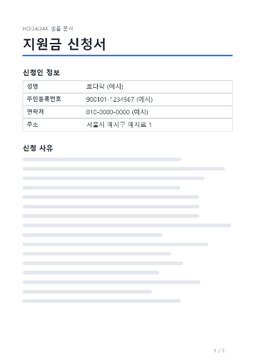
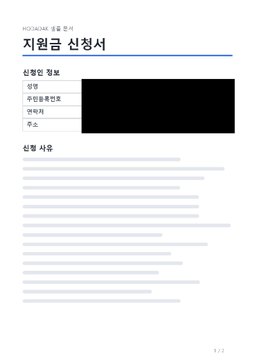
BEFORE → AFTER
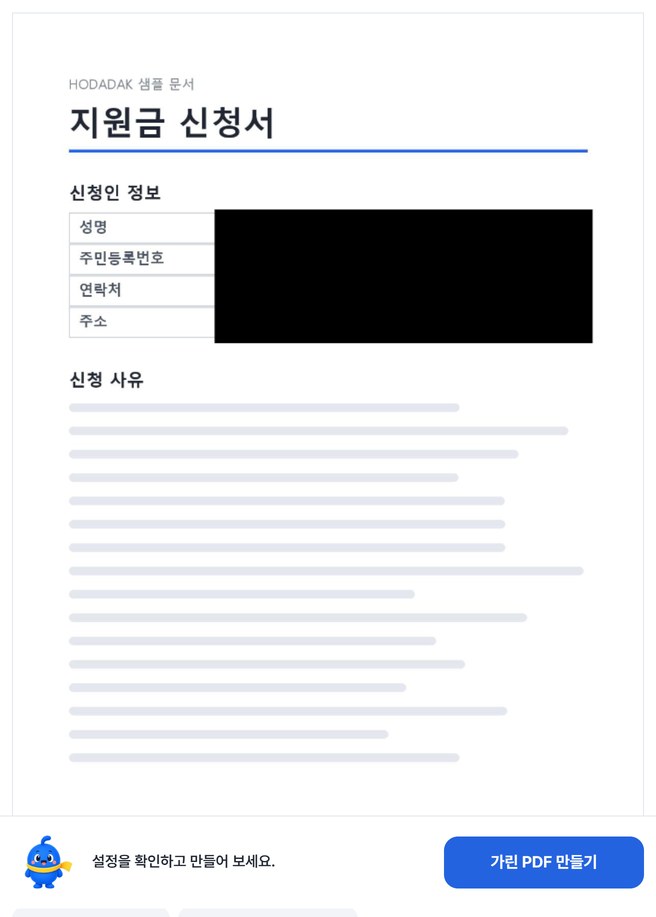
Personal details on an application, redacted
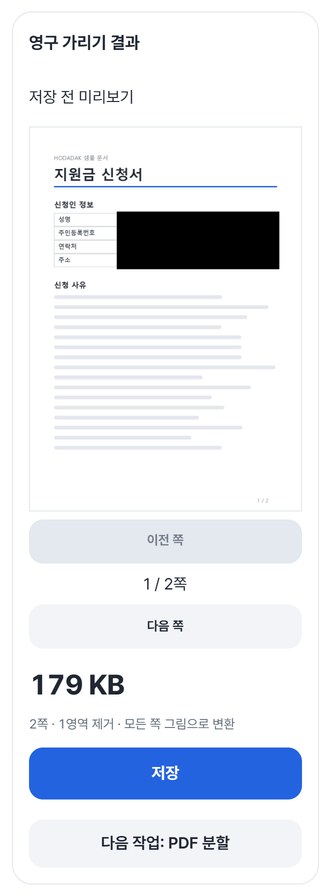
We picked page 1 only and marked the applicant value cells. Page 2 had nothing to hide and was simply turned into an image.
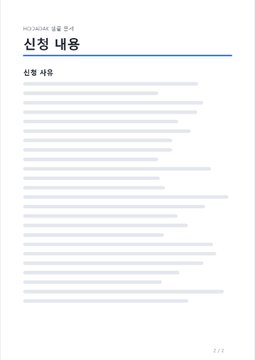
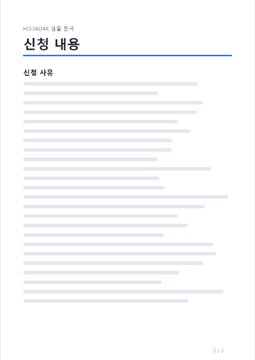
Pages drawn from the actual result of processing a HODADAK sample file (all personal details are examples) with Permanently redact PDF v0.1.0.
HOW TO
Three steps and done
Add your PDF
Pick the pages to redact in the thumbnails.
Mark areas and confirm
Drag over the large page view, or enter an area in % of the page. “Find number candidates” can find ID and phone number lines.
Review every page, then save
After “Create redacted PDF,” check all pages. Making sure nothing was missed is still up to you.
WHEN
Perfect for
- Hiding personal details before sending forms
Just the ID, phone and address cells.
- Sharing a contract without amounts or terms
Keep only what should be seen.
- Instead of hiding things in screenshots
Send a PDF with the text actually removed.
GOOD TO KNOW
Good to know
- Text under the redacted areas doesn’t remain anywhere in the result file. Hidden white text, document title and author details, and attachments aren’t carried over either.
- Every page is rebuilt as a 150 dpi image. Even unredacted pages lose text selection, search and links, and the file may get bigger. You must tick the limitation checkbox before creating it.
- Find number candidates finds lines shaped like Korean resident registration or phone numbers stored as text. It can miss scans and isn’t applied automatically, so check every page yourself.
- One PDF at a time, up to 50MB and 30 pages. Password-protected and form PDFs aren’t supported.
- The PDF engine is downloaded once, about 4MB, the first time. It's fetched only after you pick a file, and other PDF tools reuse it.
FAQ
Frequently asked questions
Where do my files get uploaded?
Nowhere. Everything is processed inside this device's browser, and closing the window clears both the files and the results.
Can’t I just put a black shape on top?
In ordinary PDF editing a shape on top can leave the text underneath in the file, where it can be copied or searched. This tool rebuilds pages as images so the hidden text is gone from the file.
Which devices has it been checked on?
We confirmed it in Edge and WebKit (the engine behind Safari) on Windows. Phones were tested by simulating a phone screen on a PC; checks on real Mac, iPhone and Android devices are still to come.
NEXT
Handy next steps
Mark, confirm, save it removed.
No install, no sign-up. Right now.