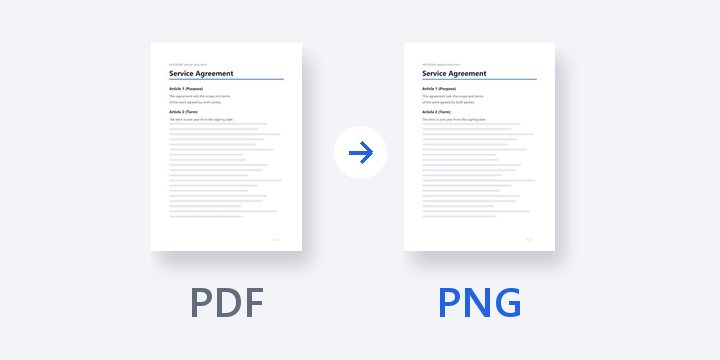
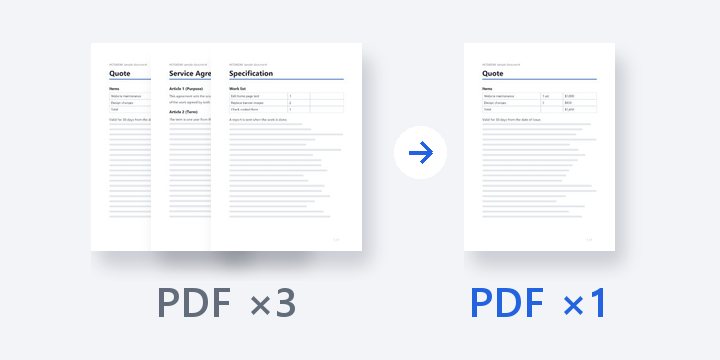
LABEL SHEET PRINT
Print address labels fit a list to Formtec and Printec sheets as PDF
Add your address list, and it lines up with the label sheet.
Place each row of an Excel or CSV address list into the cells of the label sheet you choose and save a print-ready A4 PDF. For a partly used sheet, pick the start label and continue from there.
Checked · v0.1.0
In short Label Print is a web tool that places each row of an Excel or CSV list into the label cells you choose and saves a print-ready A4 PDF. Lists up to 2,000 rows and files up to 20MB. 11 Formtec and Printec layouts are checked, and you can start from any label on a partly used sheet.
BEFORE → AFTER
25 addresses onto a 16-label sheet, as 2 A4 pages
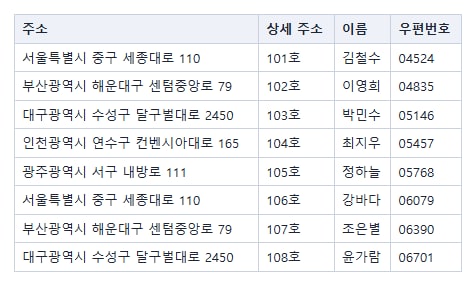
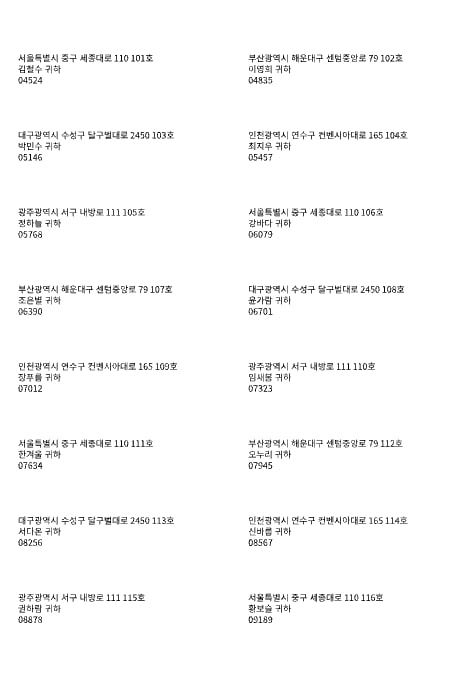
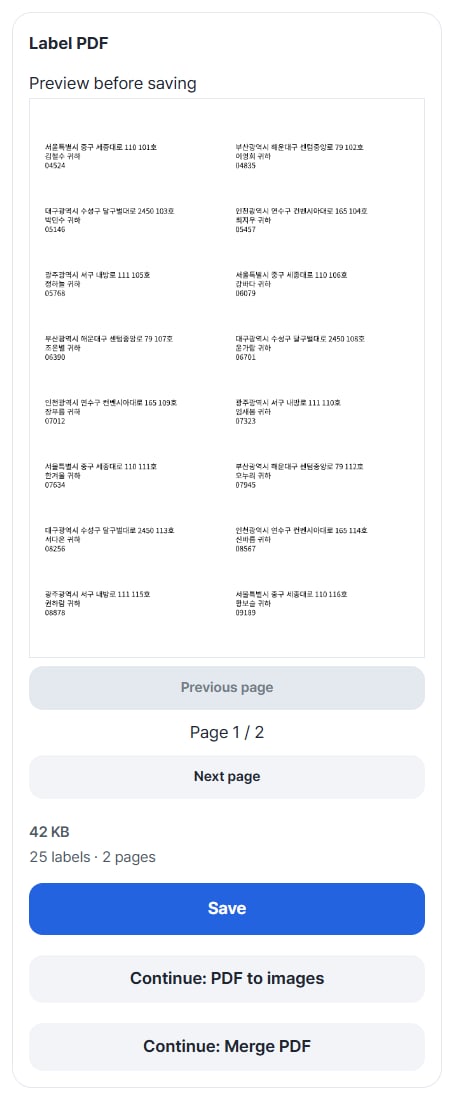
We added a CSV address list of 25 made-up names and chose “Daiso 16-up · Printec V3240” as the sheet. After pressing “Make PDF” we got 25 labels on 2 A4 pages, and the saved file was 42,644 bytes. Reopened, the page size was 210×297mm and the names were selectable text.
The actual result of processing a made-up list (25 fake names) with Label Print v0.1.0. On the left are the first 8 rows of the CSV, and on the right is page 1 of the saved PDF, reopened and drawn. The list holds Korean addresses.
HOW TO
Done in three steps
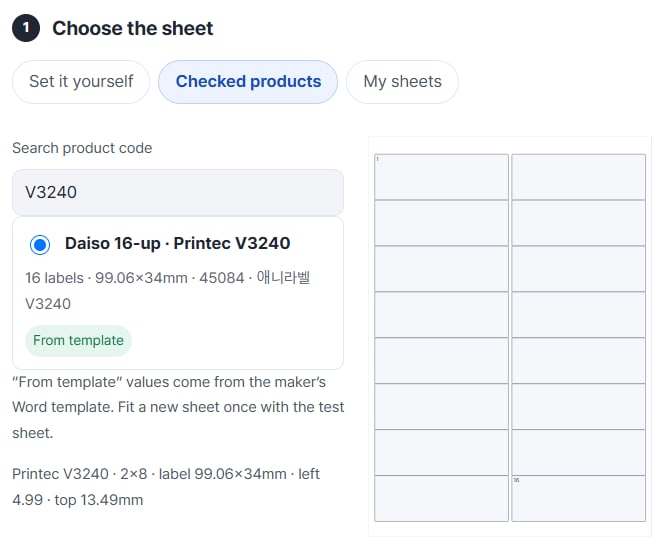
Choose the sheet
Search the product number printed on the pack under “Checked products” and select it. If it isn’t listed, enter the number of columns and rows and the label size under “Set it yourself”.
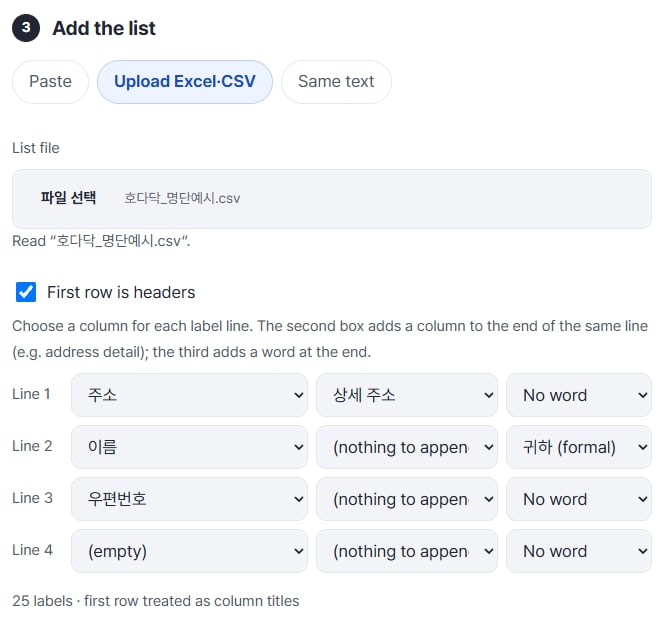
Add the list
Paste a table copied from Excel, or choose a file under “Upload Excel·CSV”. Pick the column for each line, and the word to add after names.
Make the PDF and save
Press “Make PDF” to see the preview. Check for labels that overflow, then press “Save”. When printing, keep the scale at “Actual size (100%)”.
WHEN
Perfect for
- Printing many parcel or mail address labels
Fit the list straight into the cells instead of retyping it.
- When half a sheet is left over
Click the first free label in the preview and print from there.
- With a sheet you haven’t used before
Print the test page at 100%, lay it over the sheet, and nudge with the arrows.
GOOD TO KNOW
Good to know
- Up to 2,000 rows per run and files up to 20MB. It reads Excel (.xlsx, .xls) and CSV, and also accepts pasted tables and repeated text.
- 11 Formtec and Printec layouts are checked. For other sheets, set the numbers yourself or read the cell size from the maker’s Word template (.docx, .doc). You can also measure with the grid paper.
- If text doesn’t fit even at the minimum font size, the last lines are left out and you are told which page and label.
- The first time you make a PDF with Korean text, a font of about 15MB is downloaded once. If printing shifts, first check that the scale isn’t “Fit to page”.
FAQ
Frequently asked questions
Where do my files get uploaded?
Nowhere. Everything is processed in this device's browser, so there is nothing on a server to delete. Results you haven't saved are cleared when you close the window.
The labels shift a little when I print.
Set the scale to “Actual size (100%)” in the print dialog. If it is still off, print the PDF from “Save test sheet”, lay it over the sheet and adjust with the arrows.
I want to continue on a partly used sheet.
Click the first free label in the preview and the earlier labels stay blank. After the PDF is made, the next start label is shown.
My sheet’s product number isn’t listed.
Enter the columns, rows and label size under “Set it yourself”, or load the maker’s Word template. You can keep the values with “Save as my sheet”.
Which devices has it been checked on?
We confirmed it in Edge and WebKit (the engine behind Safari) on Windows. Phones were tested by simulating a phone screen on a PC; checks on real Mac, iPhone and Android devices are still to come.
NEXT