
AGE CALCULATOR
Has the birthday passed yet?
Get the exact age.
Enter a birth date and a reference date to get the age in completed years on that date. It also shows whether this year’s birthday has passed and how a February 29 birthday was counted.
- No install
- No sign-up
- Files stay on this device
In short Age calculator is a free web tool that works out age in completed years from a birth date and a reference date, showing whether the birthday has passed and which leap-day rule applies. It runs in your browser with no install or sign-up, and what you type stays on your device — nothing is sent to a server. Dates from 1900 to 2100; the birth date can’t be in the future. For school, insurance or legal eligibility, check the rules that apply.
BEFORE → AFTER
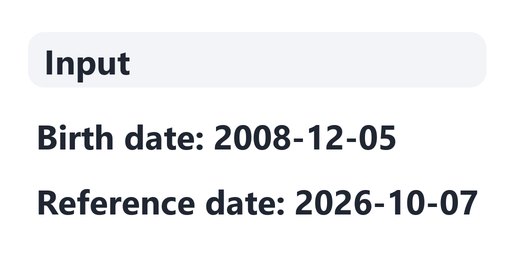
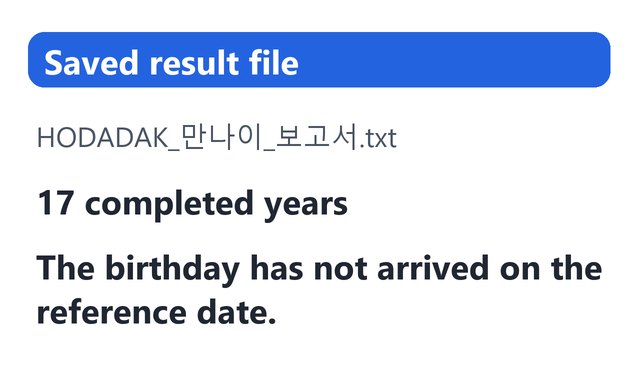
Born 2008-12-05: 17 completed years on 2026-10-07
On the reference date 2026-10-07 this year’s birthday has not come yet, so the age is 17. The saved TXT also says “The birthday has not arrived on the reference date.” along with the leap-day rule.
Actual result of entering an example birth date chosen by HODADAK into Age calculator v0.1.1, then reopening the saved TXT to check it.
HOW TO
Three steps and done
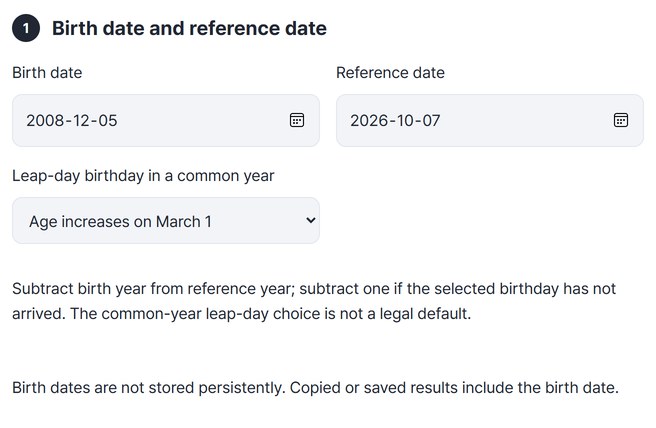
Enter the birth date and reference date
The reference date starts as today. For a February 29 birthday, choose “Age increases on March 1” or “Age increases on February 28” for common years.
Check the age and the rules
Press “Calculate age” to see the age, the birthday applied that year and whether it has passed.
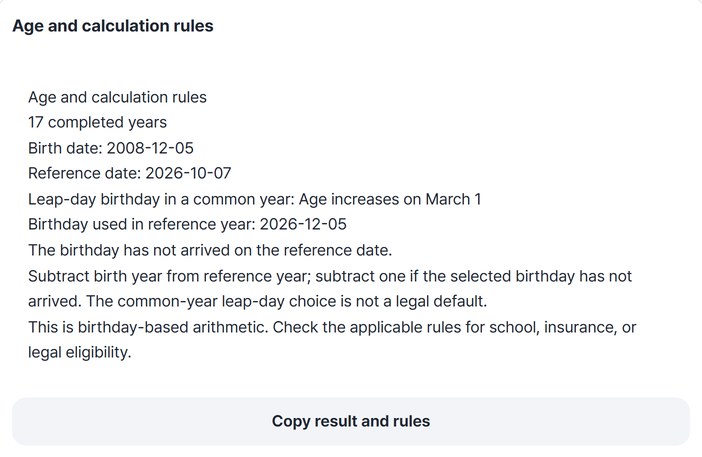
Copy it or save it as TXT
Press “Copy result and rules” or “Save”.
WHEN
Perfect for
- Forms that ask for exact age
Set the reference date to the form’s date.
- Not sure if the birthday has passed
See this year’s birthday and whether it has passed in one line.
- Born on February 29
Choose and record which day the age goes up in common years.
GOOD TO KNOW
Good to know
- Range: 1900–2100. The birth date cannot be in the future, and the reference date must be the same as or after the birth date.
- How it counts: reference year minus birth year, minus 1 if that year’s birthday hasn’t come yet. The leap-day rule is an option you choose, not a legal default.
- It doesn’t decide eligibility. This is birthday-based arithmetic. For school, insurance or legal eligibility, check the rules that apply.
- Birth dates are not stored persistently, but copied or saved results include the birth date. The Continue button on the result card passes the TXT to the file renaming tool.
FAQ
Frequently asked questions
Where does the birth date I enter go?
Nowhere. The calculation happens inside this device’s browser, and the birth date is not stored persistently.
Does the age go up on the birthday itself?
Yes. If the birthday has passed or is on the reference date, the age is counted as one year older.
Which devices has it been checked on?
We confirmed it in Edge on Windows. Phones were tested by simulating a phone screen on a PC; Safari-based browsers and real Mac, iPhone and Android devices are still to come.
NEXT
Handy next steps

Two dates in, exact age out.
No install, no sign-up. Right now.